
Gines opens its temporary employment programme against exclusion in December
Topics Diputación de Sevilla Gines
Unemployed people registered in Gines with low incomes can apply from December 1 to 16 to join the temporary employment programme.
YaSevilla newsroom ·
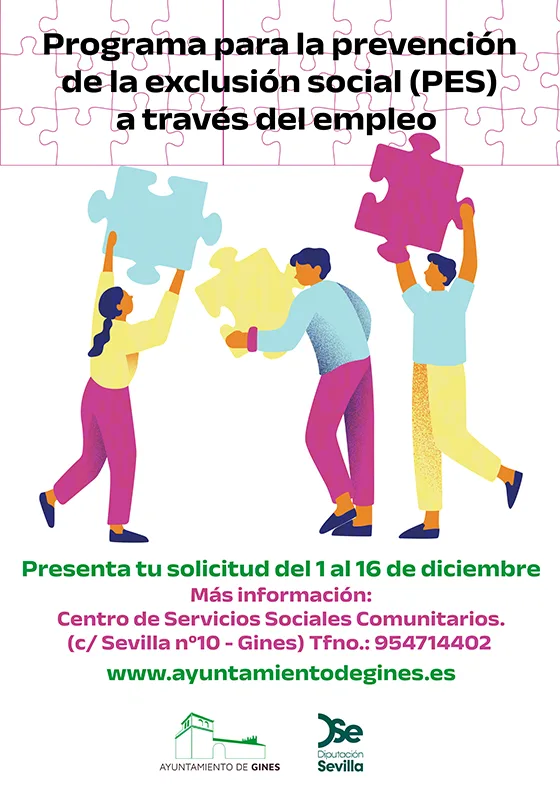
Anyone who is unemployed in Gines and living through a difficult economic situation can apply to enter the Programme for the Prevention of Social Exclusion (PES) through temporary employment 2026. The deadline runs from Tuesday, December 1 to Wednesday, December 16, as announced by the Area of Social Welfare of the City Council, which launches it together with the Diputación de Sevilla.
The programme gives temporary contracts to people and families with serious economic problems to prevent them from falling into social exclusion. It pays special attention to women at risk, with preference for victims of gender violence, and to young people who cannot continue their university studies or intermediate or higher-level vocational training due to social difficulties. Part of the work consists of small public-interest works for the municipality.
People registered in Gines since January 1, 2026, who are unemployed and live alone or in a family that meets the economic requirements may apply. Priority is given to those who have not taken part in the previous three years, although if the budget allows for more, those who have already done so may also enter.
The application is submitted, with the documentation proving the requirements, preferably at the City Council's electronic office, or at the General Registry or the registry of the Community Social Services Centre, at calle Sevilla, 10. Queries are handled there from 9:00 to 14:00 and also on the telephone 661 754 463. The full announcement of the programme is on the electronic office's notice board.
Breaking news from News, on your phone
An alert only when something can't wait. Free, no account needed.
On iPhone, alerts only arrive if you first add YaSevilla to your Home Screen. How to do it, step by step
This browser can't receive alerts. Try another one, such as Chrome or Safari.
You've blocked alerts from YaSevilla in this browser. You can turn them back on in its settings. How to do it, step by step
Only what can't wait. Change or remove it in my alerts
Shall we let you know what matters?
Phone alerts
On iPhone, alerts only arrive if you first add YaSevilla to your Home Screen. How to do it, step by step
This browser can't receive alerts. Try another one, such as Chrome or Safari.
You've blocked alerts from YaSevilla in this browser. You can turn them back on in its settings. How to do it, step by step