
Dos Hermanas renovates the roundabout on the old Bellavista road
The Dos Hermanas City Council has refurbished the interior of the roundabout at kilometre 1 of the A-8032, known as the old Bellavista road, with river stones, albero, olive trees and ornamental plants.
YaSevilla newsroom ·
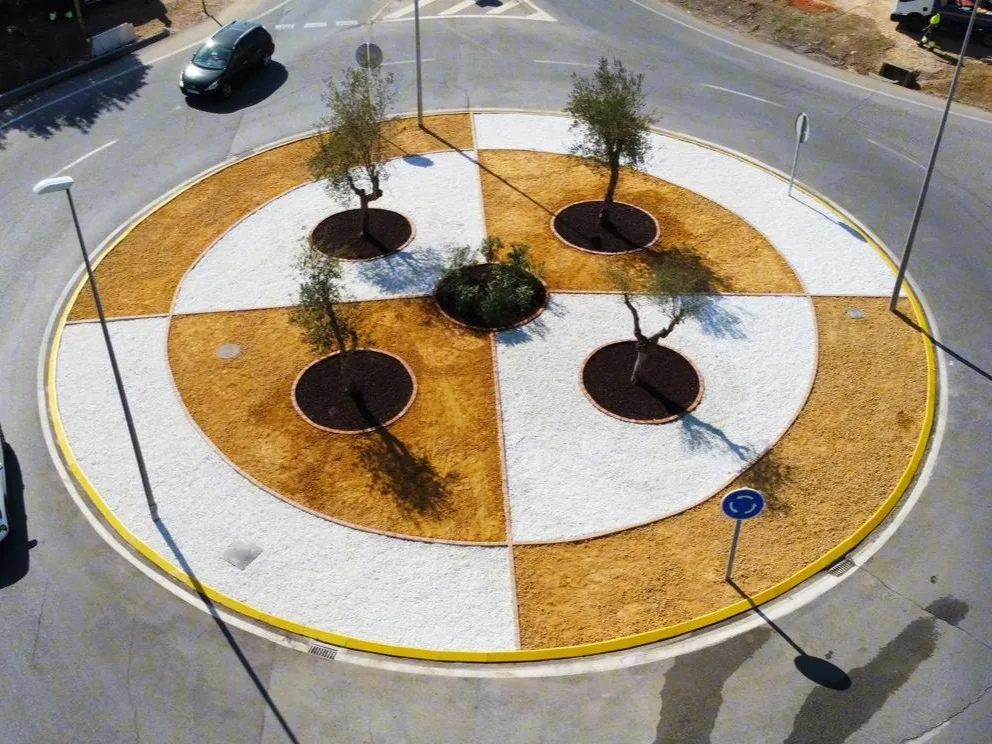
Dos Hermanas City Council has refurbished the roundabout located at kilometre 1 of the A-8032 road, popularly known as the old Bellavista road. The work has renewed the interior of the roundabout with a composition that alternates surfaces of white river stone and yellow albero gravel.
Four sectors and an outer ring
The materials are distributed in four sectors and an outer ring, creating a contrast of colours across the whole. Vegetation is integrated into the design through four olive trees placed in circular tree pits and a central area of ornamental plants.
These spaces incorporate volcanic stone as a finish. The separations between the different surfaces have been resolved with reused red concrete pieces.
Reused materials
According to the City Council, the result is a roundabout with a more cared-for and orderly appearance, in which plant and mineral elements are combined to make its upkeep easier. The reuse of materials makes it possible to take advantage of resources already available in the refurbishment of public space.
With this work, the Council states that it continues to improve the urban spaces and the surroundings of the municipality's connecting roads.
What the A-8032 is
The A-8032 is the road that links Dos Hermanas with Sevilla through the Bellavista area, a very heavily used entry and exit route every day for those coming and going from the capital. The roundabout at kilometre 1 is one of the first points of passage for anyone arriving in the municipality from that side.
Breaking news from News, on your phone
An alert only when something can't wait. Free, no account needed.
On iPhone, alerts only arrive if you first add YaSevilla to your Home Screen. How to do it, step by step
This browser can't receive alerts. Try another one, such as Chrome or Safari.
You've blocked alerts from YaSevilla in this browser. You can turn them back on in its settings. How to do it, step by step
Only what can't wait. Change or remove it in my alerts
Shall we let you know what matters?
Phone alerts
On iPhone, alerts only arrive if you first add YaSevilla to your Home Screen. How to do it, step by step
This browser can't receive alerts. Try another one, such as Chrome or Safari.
You've blocked alerts from YaSevilla in this browser. You can turn them back on in its settings. How to do it, step by step